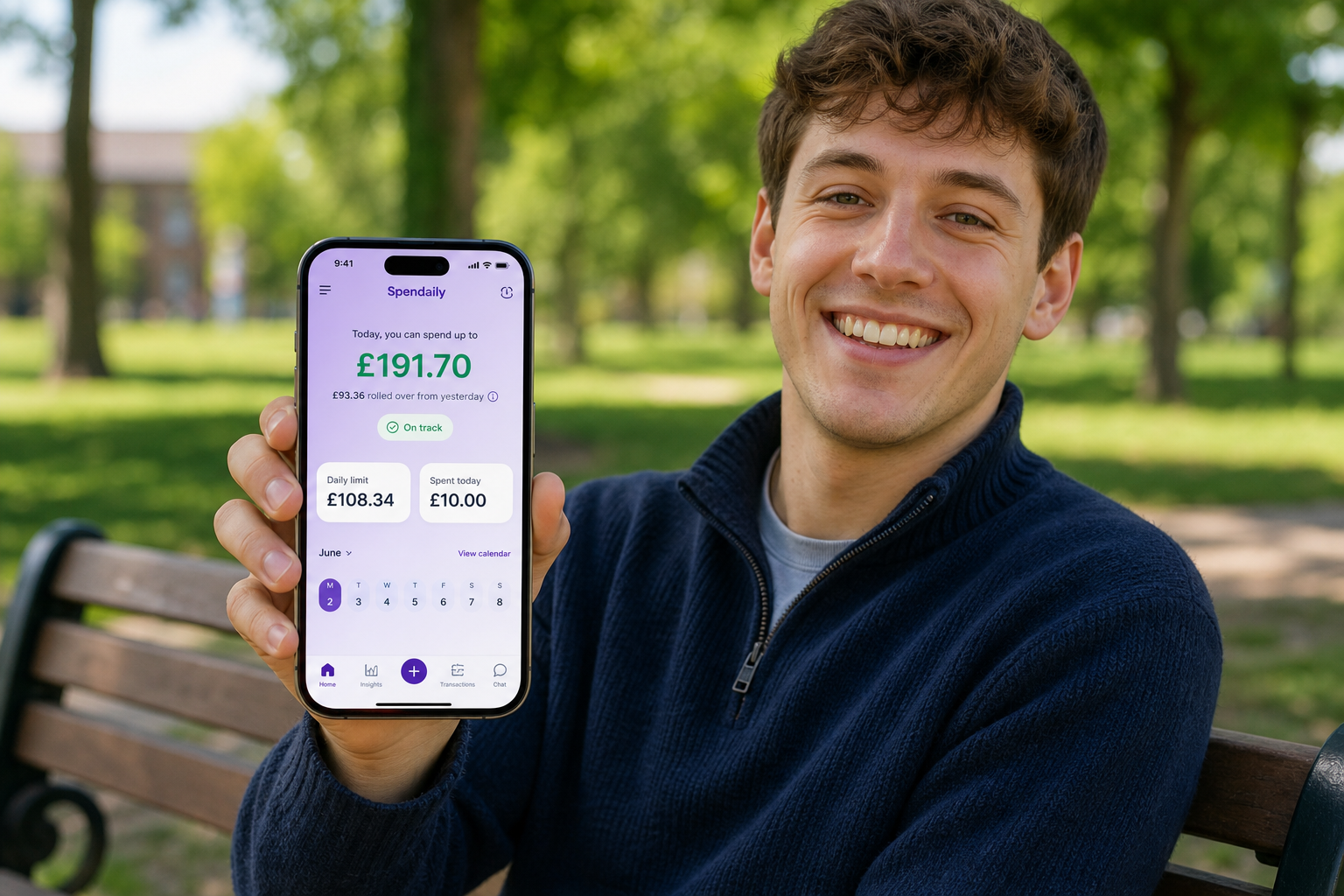
The best budgeting apps for ADHD in 2026 share three traits: low setup effort, simple visuals, and clear spending limits you can check in seconds. Many popular choices, like YNAB, Snoop and HyperJar, use zero-based budgets or colour-coded “jars” to help ADHD users see where their money should go. If you find categories and bank connections overwhelming, a manual daily-allowance app such as Spendaily gives you just one number to focus on per day instead.
Why ADHD-Friendly Budgeting Apps Need to Be Different
Budgeting with ADHD isn’t just about maths; it’s about working with a brain that struggles with executive function, time-blindness and impulse control. ADHD guides consistently highlight difficulties like starting boring tasks, tracking multiple categories, and resisting emotional impulse buys.
Specialist ADHD resources recommend systems that are:
- Simple and visual: fewer moving parts, clear colour-coding or jars.
- Time-boxed: short, predictable sessions rather than long monthly reviews.
- Supportive, not shaming: gentle reminders, low-pressure feedback.
Most general budgeting apps weren’t built for this. The good news is that several tools now explicitly pitch ADHD-friendly features, and a few go further by simplifying the experience down to one weekly or daily spending number.
What Makes a Budgeting App ADHD-Friendly?
Looking across ADHD-specific money guides and app reviews, the same criteria show up over and over.
1. Low cognitive load
ADHD writers emphasise that too many categories, screens and options cause overwhelm and abandonment. Apps that win for ADHD tend to offer:
- Minimal, clearly labelled views.
- A small number of key decisions (e.g. “how much can I spend this week?”).
- Defaults and automation to cut down on manual sorting.
2. Clear “safe to spend” signals
Weekly or daily “safe to spend” numbers, jars with limits, or category balances that answer “Can I buy this?” quickly are particularly helpful. Weekly’s “Safe-to-Spend” and HyperJar’s jar limits are two examples of this pattern.
3. Visual structure and boundaries
Visual jars, envelopes and colour-coded categories make money more concrete and less abstract, which can aid ADHD brains. HyperJar, for example, lets users split money into named jars with spending controls and blocks at certain retailers.
4. Short, repeatable routines
ADHD guides recommend short weekly or daily resets (10-15 minutes) over long monthly admin sessions. Apps that support quick check-ins, gentle reminders and easy logging work better than those that require detailed spreadsheet-style maintenance.
Our ADHD Effort Score: How We Rank These Apps
To decide which apps work best for ADHD users, we’ll use an ADHD Effort Score based on:
- Setup effort: How much work is needed before the app is useful?
- Daily effort: How many decisions and taps per typical day?
- Visual simplicity: Is the main screen cluttered or clear?
- Automation vs manual: Does it help if you forget to log, without hiding your spending?
- Safe-to-spend clarity: How quickly can you see what you can spend today or this week?
Lower scores mean less cognitive load, which is often better for ADHD users who already find money tasks draining.
The Best Budgeting Apps for ADHD in 2026
1. Spendaily, Best for “One Number per Day” (Manual, No Bank Link)
Best for: ADHD users who want the least possible complexity and are happy to log spending manually.
Spendaily is a manual-only daily budgeting app that takes your budget and turns it into one daily spend number. It doesn’t connect to your bank; instead, you enter your income and fixed costs, and it calculates a daily allowance from what’s left. When you spend less, the surplus rolls forward or feeds named goals; when you overspend, tomorrow’s number shrinks.
For ADHD users who get overwhelmed by categories, this “one number per day” model can dramatically reduce decision fatigue, similar to Weekly’s weekly “Safe-to-Spend” but on a daily horizon. Because there’s no bank linking, there’s also no need to manage connections or re-authentication, which many ADHD users find frustrating.
2. Weekly, Best Weekly “Safe-to-Spend” for ADHD
Best for: ADHD users who prefer thinking week-to-week rather than day-to-day.
Weekly is explicitly marketed as ADHD-friendly: its “Safe-to-Spend” feature gives you one weekly number to focus on, with all recurring income, bills and goals already baked in. Their own ADHD page points out that managing money weekly is often easier than tackling a whole month and describes the weekly spending limit as “kind of like an adult allowance”.
For many ADHD users, this shorter timeframe makes it easier to stay oriented and rebuild after mistakes; you get a fresh start every seven days instead of waiting for a new month.
3. HyperJar, Best Visual Jars and Merchant Controls
Best for: ADHD users who respond well to visual jars and need hard guardrails.
HyperJar uses digital jars, essentially envelope budgeting in app form, with colour-coded buckets for bills, groceries, savings and more. You can assign spending limits, share jars with others, and even block spending at certain retailers to help with impulse control. HyperJar positions this directly to ADHD users as “easy, visual money management” with spending control features and no overdraft.
If you like the idea of cash stuffing but don’t want to handle physical envelopes, HyperJar is a strong ADHD-friendly interpretation of jars.
4. YNAB, Best for ADHD Users Who Want Full Zero-Based Structure
Best for: ADHD users who crave structure and are willing to invest time learning a system.
You Need A Budget (YNAB) appears in almost every ADHD budgeting apps list, often as the “best for zero-based budgeting”. YNAB itself argues it’s ADHD-friendly because its method gives every pound a job, its category balances answer “Can I buy this?” quickly, and its direct-import features reduce manual logging.
For ADHD brains that enjoy systems and are ready for a learning curve, YNAB can be powerful. But it requires more setup and ongoing attention than one-number-style apps; several reviewers note that it can feel complex at first and demands regular engagement to work well.
5. Snoop, Best for Automation and Subscription Awareness
Best for: ADHD users who want a “set-and-spot” helper for bills and subscriptions.
Snoop is a UK money app that links to your bank, automatically categorises spending and sends alerts about bills you can switch or subscriptions that have gone up in price. ADHD app round-ups highlight Snoop as “best budget-friendly app” for automation, helping users who struggle to remember renewals and compare deals.
Snoop won’t give you a daily allowance, but it’s useful for ADHD users who know subscriptions and bill creep are a problem and want the app to do the spotting.
6. Monarch, PocketGuard and Other Automated Trackers
Best for: ADHD users who are comfortable with open banking and prefer automation.
Several ADHD-focused lists recommend Monarch Money and PocketGuard as good options for people who benefit from automated imports and visual dashboards. Monarch is often praised for its flexible, modern UI and strong goal tracking; PocketGuard is recommended for its “In My Pocket” safe-to-spend indicator and overspend alerts.
These apps can be excellent if you like dashboards and don’t mind categories, but they can also feel overwhelming or “too much” for ADHD users who want the simplest possible view.
Comparison Table: ADHD-Relevant Features at a Glance
| App | Best for ADHD when… | Bank link? | Effort level (setup / daily) | “Safe to spend” clarity | Notes |
|---|---|---|---|---|---|
| Spendaily | You want one number per day and no bank connections | ❌ Manual only | Very low / low | ✅ Today’s daily allowance on home screen | Daily-first; ideal for low-friction, manual ADHD budgeting |
| Weekly | You think in weeks and want a weekly allowance | Optional | Low / low | ✅ Weekly “Safe-to-Spend” number | Explicit ADHD marketing; weekly resets reduce time-blindness |
| HyperJar | Visual jars and hard limits help you | ✅ Prepaid | Medium / low | ✅ Per-jar limits and blocks | Colour-coded jars, merchant blocks and shared jars |
| YNAB | You enjoy detailed planning and can learn a system | ✅ | High / medium | ✅ Per-category balances | Zero-based method; strong automation, steeper learning curve |
| Snoop | You want alerts on bills and subs more than daily control | ✅ | Medium / low | ⚠️ No single daily number | Great at spotting subscription creep and deals |
| Monarch / PocketGuard | You like visual dashboards and automation | ✅ | Medium / medium | ✅ Safe-to-spend / insights | Strong automation; may feel heavy for some ADHD users |
How to Choose the Right ADHD Budgeting App for You
If you hate categories and spreadsheets
If categories and spreadsheets make you shut down, focus on apps that give you one clear number: daily or weekly. Weekly is designed around a weekly allowance, while Spendaily gives a daily allowance and keeps everything manual so you don’t have to manage bank connections.
If you want automation and reminders
If your biggest issue is forgetting bills or losing track of subscriptions, look at Snoop, YNAB or Monarch. They connect to your bank, track recurring payments and send reminders, great for ADHD users who need external prompts, as long as the category views don’t feel overwhelming.
If you love structure and systems
If you know you like detailed systems (and might even enjoy the planning), a zero-based app like YNAB or a jars-based system like HyperJar can work well. They require more effort but reward that effort with fine-grained control.
ADHD + Apps: Keep the System Small
Every ADHD money expert makes one point: apps help only when the system is small enough that you’ll actually use it. The best tool for you is the one with:
- A simple main screen you understand immediately.
- A routine you can complete in 2-5 minutes.
- A “safe to spend” signal you can trust at a glance.
For many ADHD users, that means starting with the lightest possible system, one daily or weekly number, manual logging, and minimal rules, and only moving to heavier tools later if you genuinely want more detail.
If you want a light, daily-first option, Spendaily is designed to be that minimal system: one daily allowance number, manual logging in a couple of taps, and no bank connections to manage.
An app is only half the system. Once you have picked one, our guides to ADHD money management and a 5-minute ADHD daily spending routine show how to make it stick, and if money stress itself is the blocker, start with calming financial anxiety with a daily check-in.
FAQ
What is the best budgeting app for ADHD?
There is no single best app for every ADHD user, but several consistently recommended options include YNAB for structured zero-based budgeting, Weekly for a simple weekly allowance, HyperJar for visual jars, and Snoop for automated bill and subscription tracking. The right choice depends on whether you want structure, visuals, automation or extreme simplicity.
Are zero-based budgeting apps good for ADHD?
Zero-based budgeting can work well for ADHD because it assigns every pound a job and makes category balances answer “Can I spend on this?” in real time. However, apps like YNAB that use this method require more setup and ongoing attention than one-number daily or weekly apps, which can be a barrier for some people.
Are manual budgeting apps better for ADHD than bank-linked ones?
Manual apps can be better for ADHD users who want to avoid the complexity and occasional sync issues of bank-linked tools, and who like the awareness boost from typing each spend. Bank-linked apps are better if you tend to forget logging altogether; the best choice depends on whether automation or simplicity is more important to you.
Do visual “jar” apps help with ADHD?
Yes. Visual “jar” or envelope systems like HyperJar are often recommended because they make money more concrete, allow clear per-jar limits, and can include merchant blocks and spending controls to help with impulse buys. This reduces the mental effort of tracking abstract balances.
How do I stop impulse spending if I have ADHD?
ADHD-specific money guides suggest combining app-based tactics with behaviour changes: set clear per-category or daily limits, enable alerts, use a waiting rule before big purchases, and make your “safe to spend” number easy to see before you buy. Apps like Weekly, HyperJar and daily-allowance tools can help by giving you a simple reference point in the moment.