Every feature, in detail.
Explore how Spendaily keeps daily budgeting clear, actionable, and consistent across iOS and Android.
Core features
The current free experience built around calm daily budgeting.
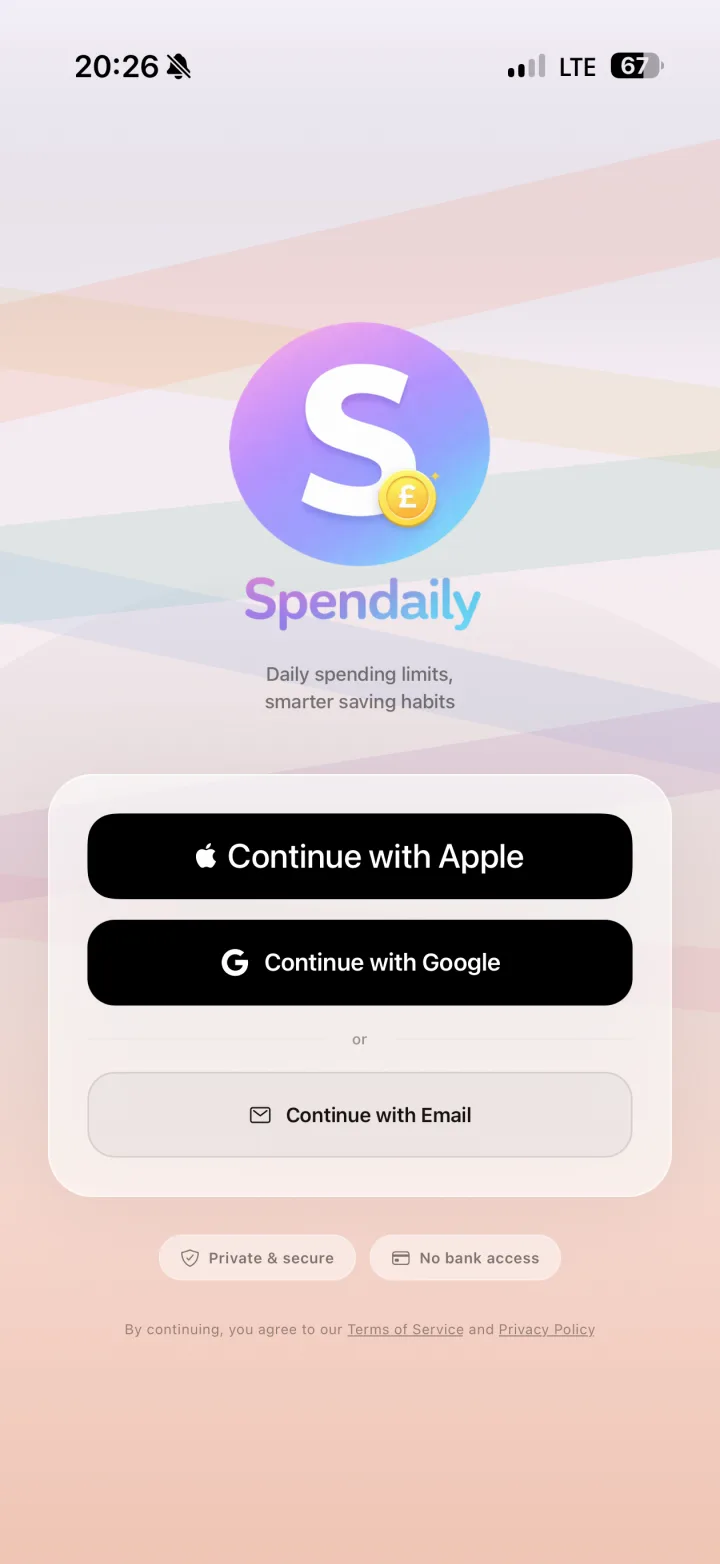

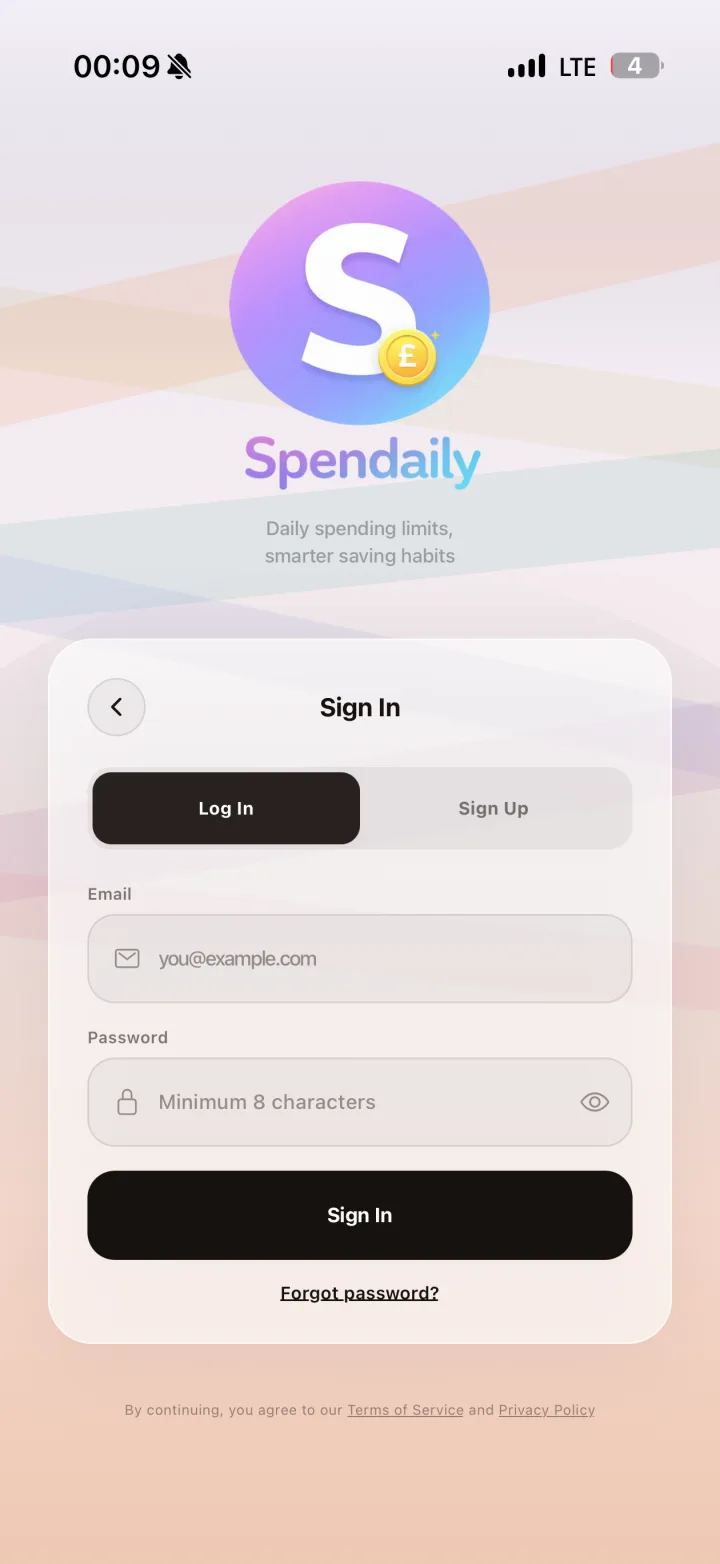
Frictionless Secure Onboarding
The first conversion screen combines Apple, Google, and Email entry options with immediate trust signals: private and secure, no bank connection required.
Start in seconds. Private, secure, and no bank connection required.
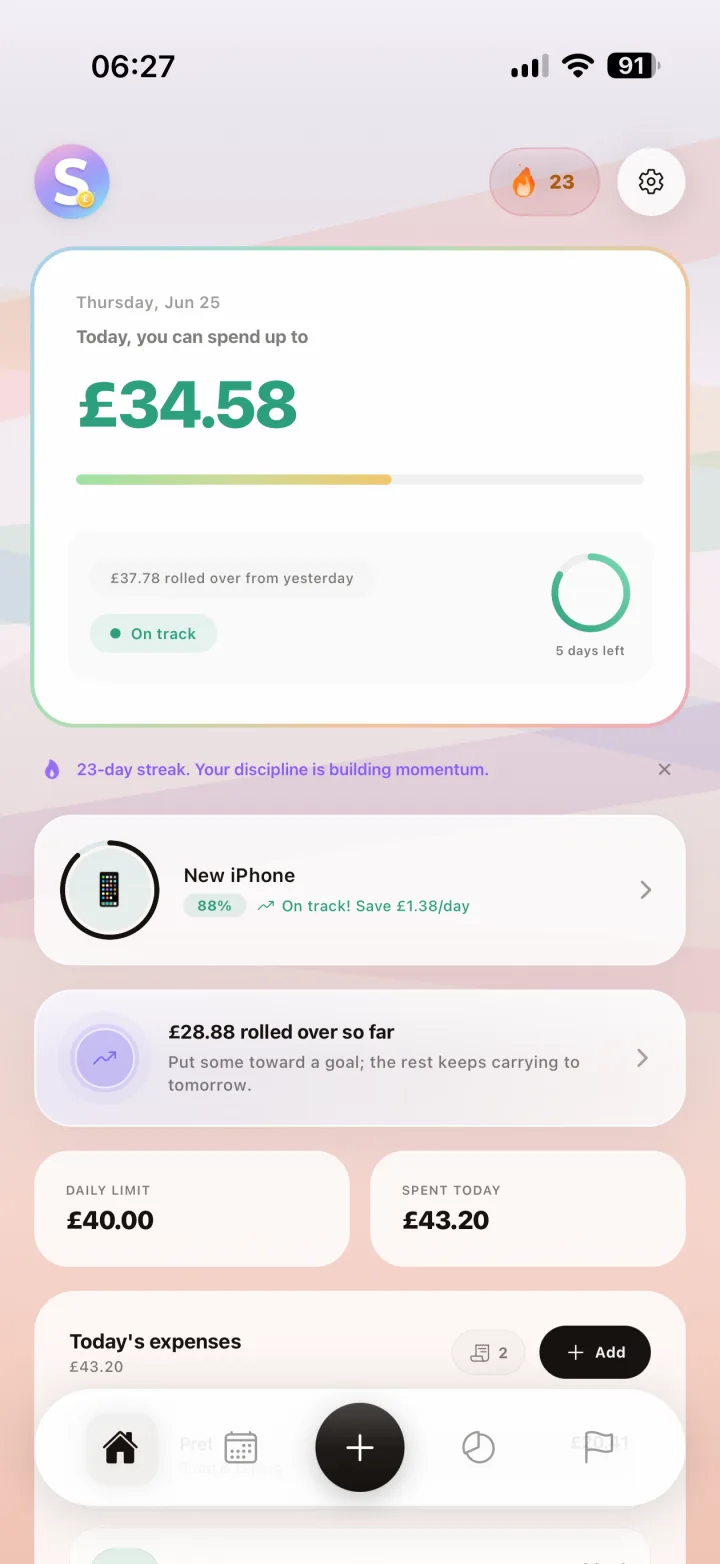
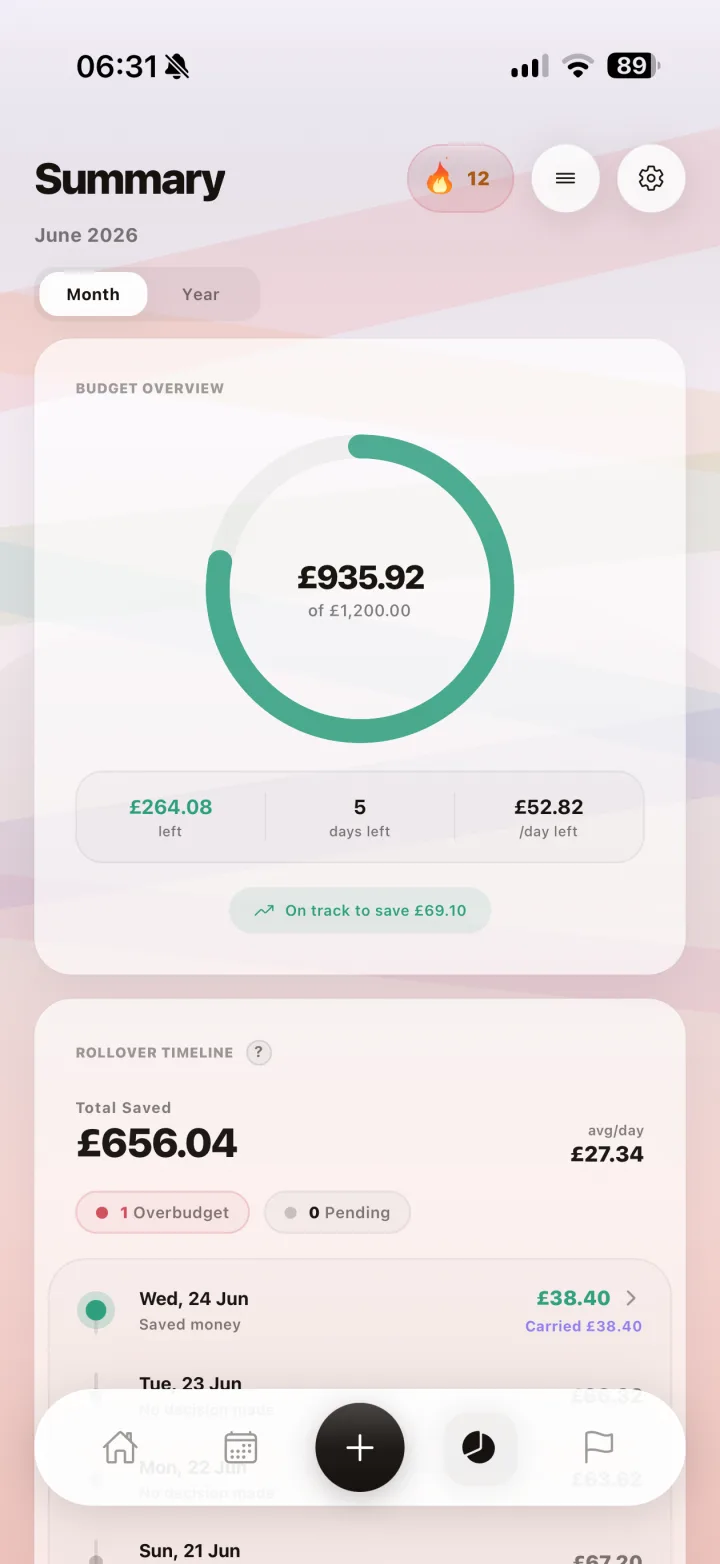
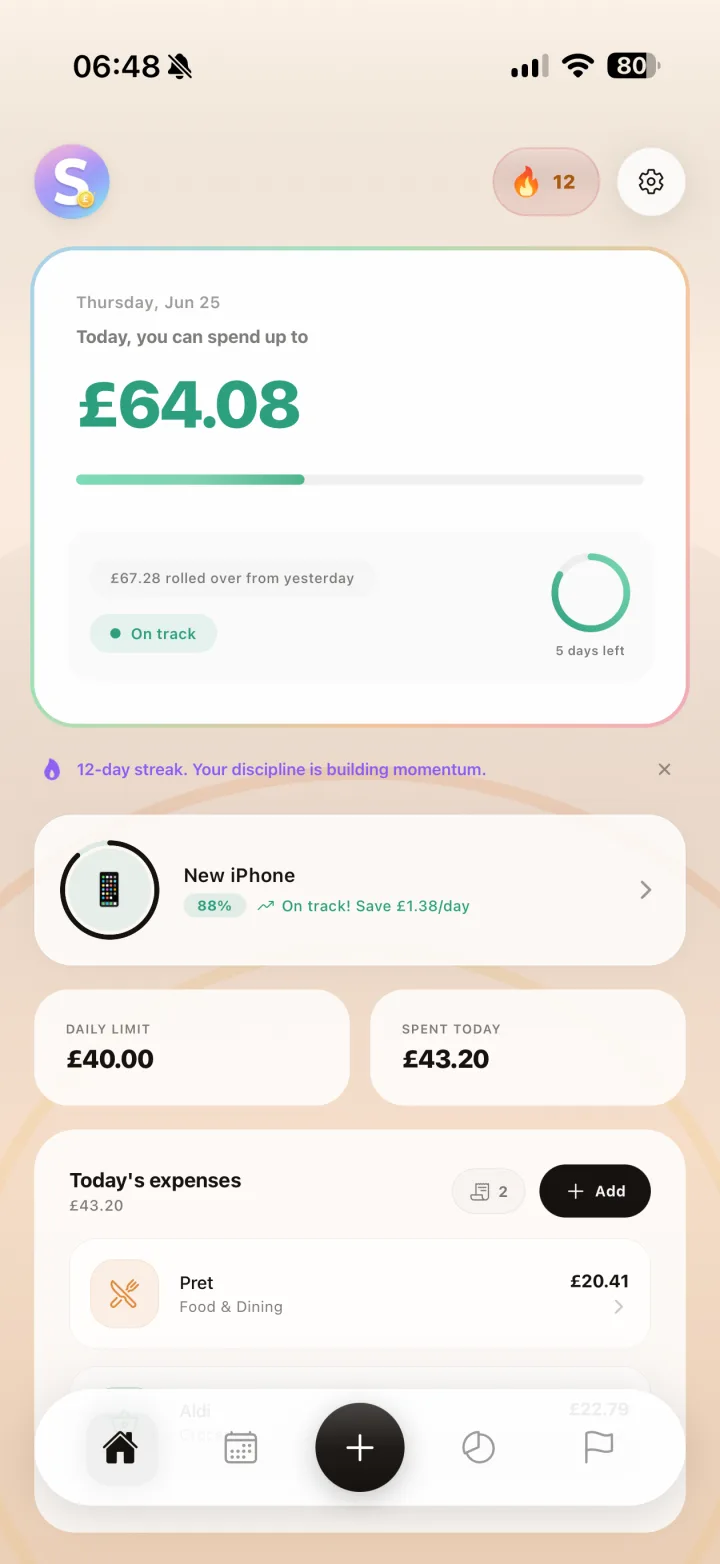
Smart Daily Budget Dashboard
See today's available budget, rollover amount, spend status, streak momentum, and a clear monthly progress snapshot from one control surface.
See what you can spend today, what rolled over, and how monthly progress is tracking.
Visual Spending Calendar
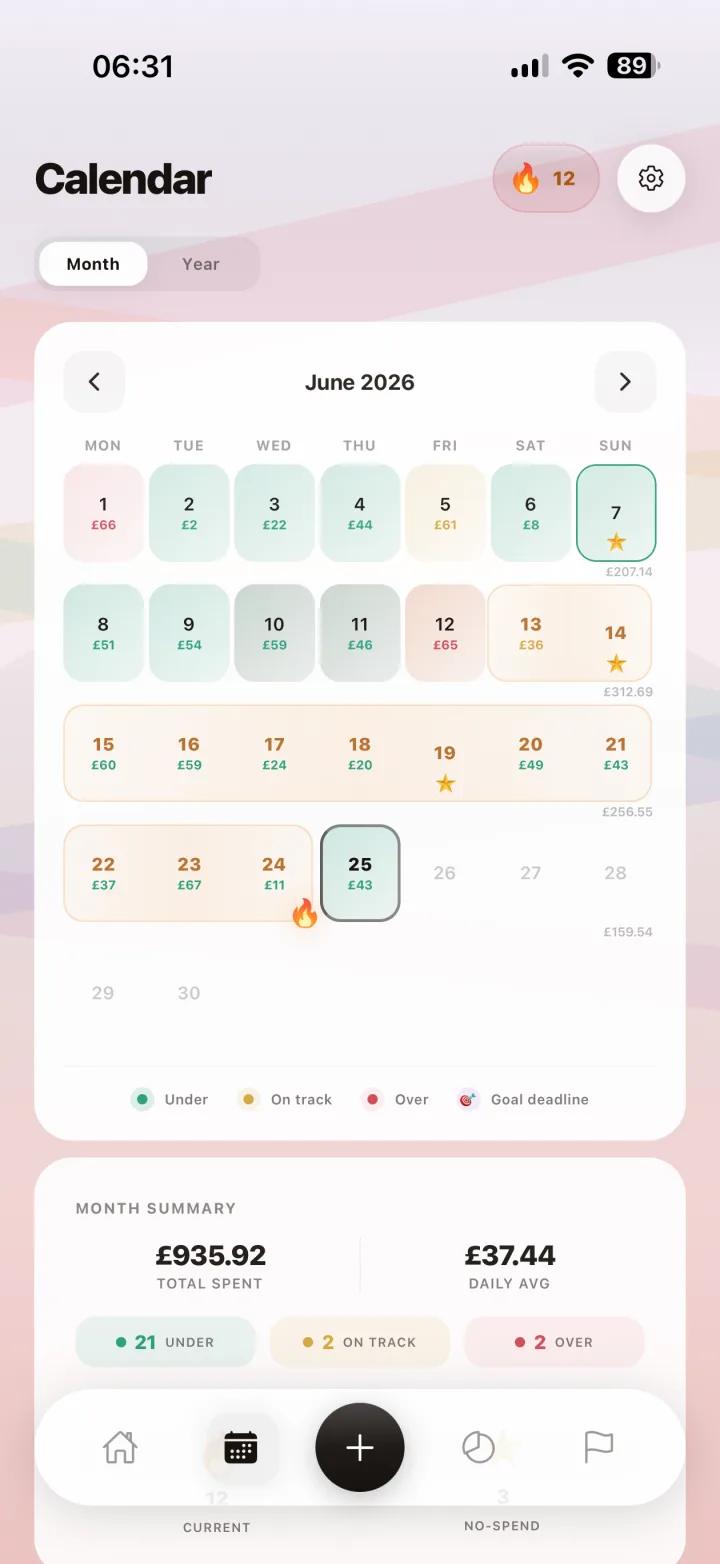
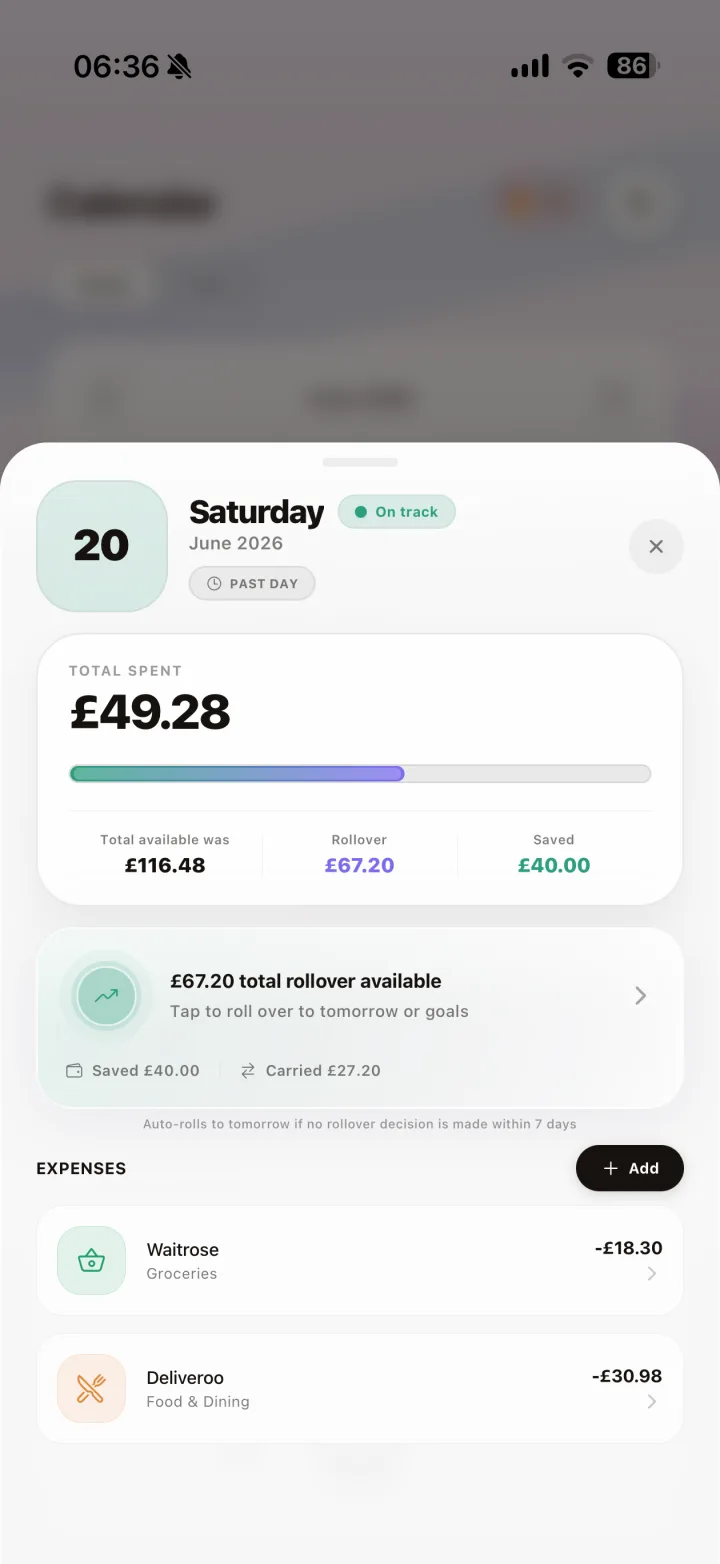
Turn month-level spending into an easy visual history. Spot overspend patterns, review day detail, and adjust while the month is still in progress.
See your entire month as a visual story and track where discipline held or slipped.
Fast Add Expense
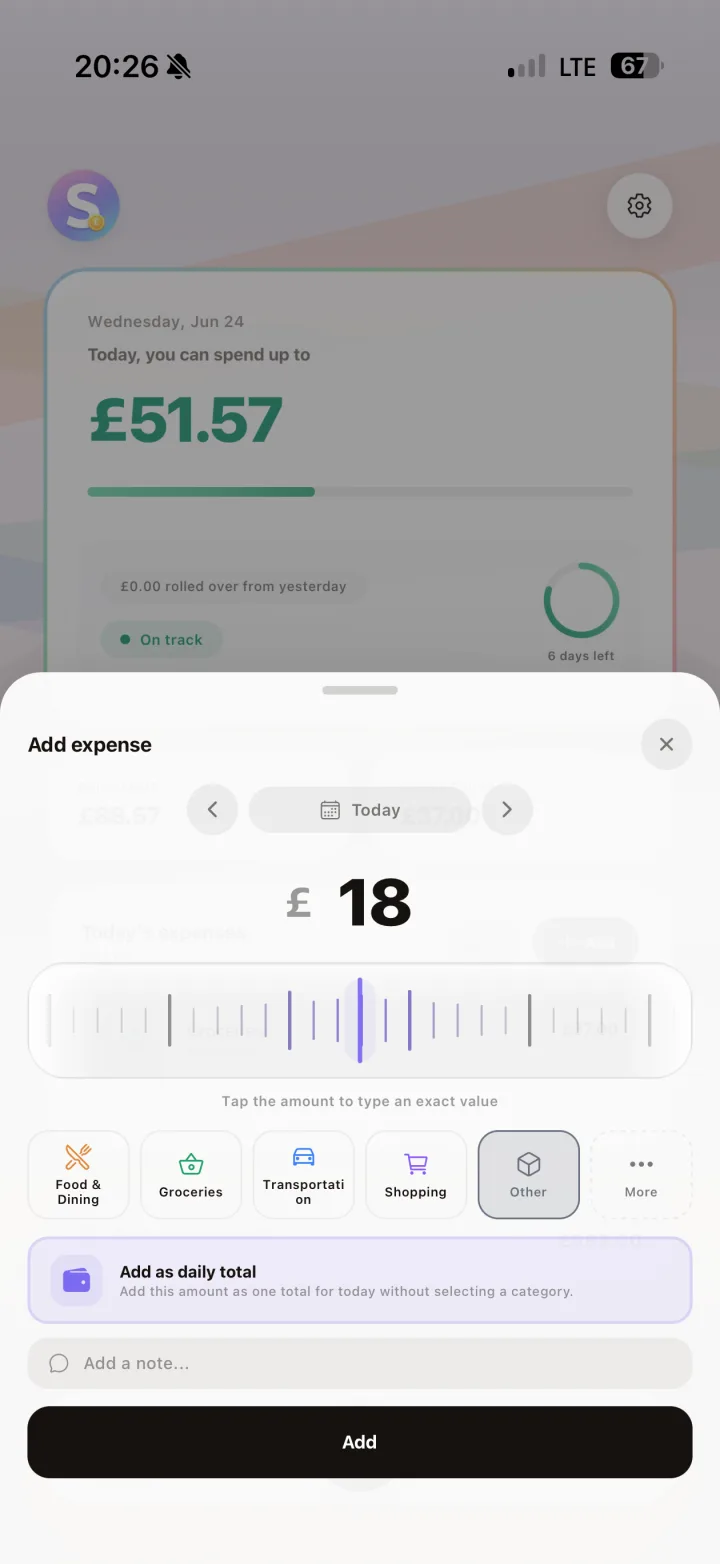
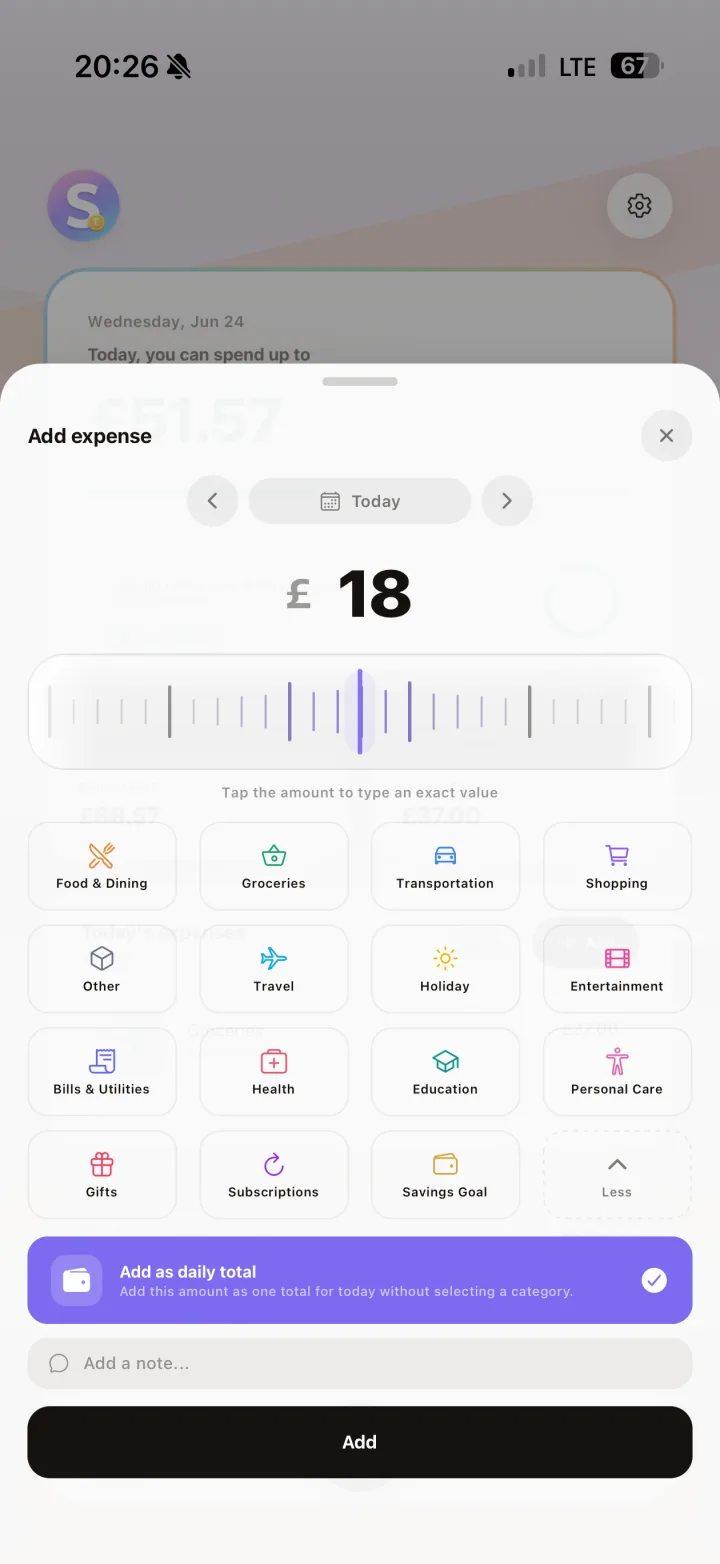
Log spending in seconds through the quick row, or open richer categorization when you want cleaner analytics. Both paths keep daily tracking friction low.
Quick logging or detailed categorization, whichever fits your style.
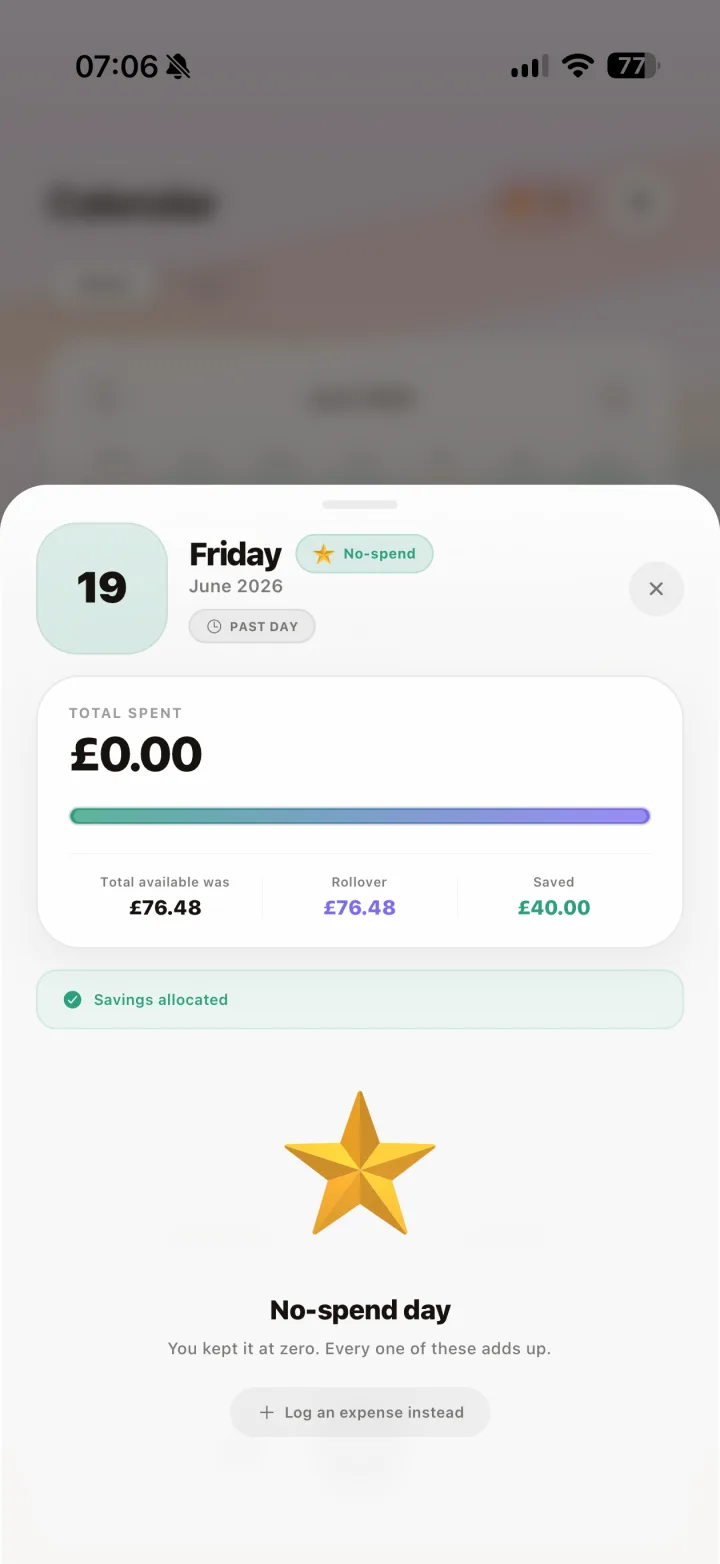
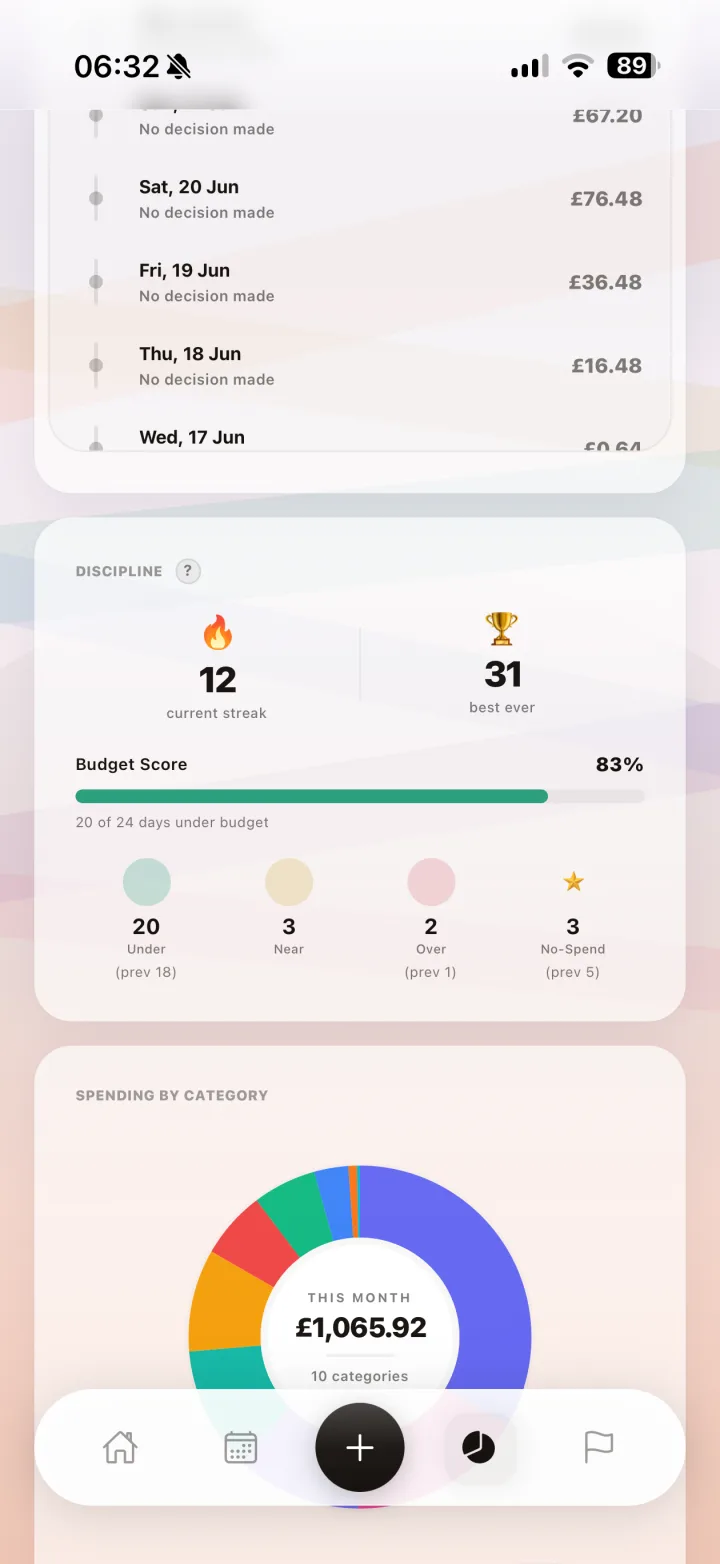
Streaks and No-Spend Days
Under-budget days build a flame streak and no-spend days earn a star. Your summary turns everyday discipline into momentum you can actually see.
Small wins, celebrated. Watch your streak grow and your no-spend days add up.
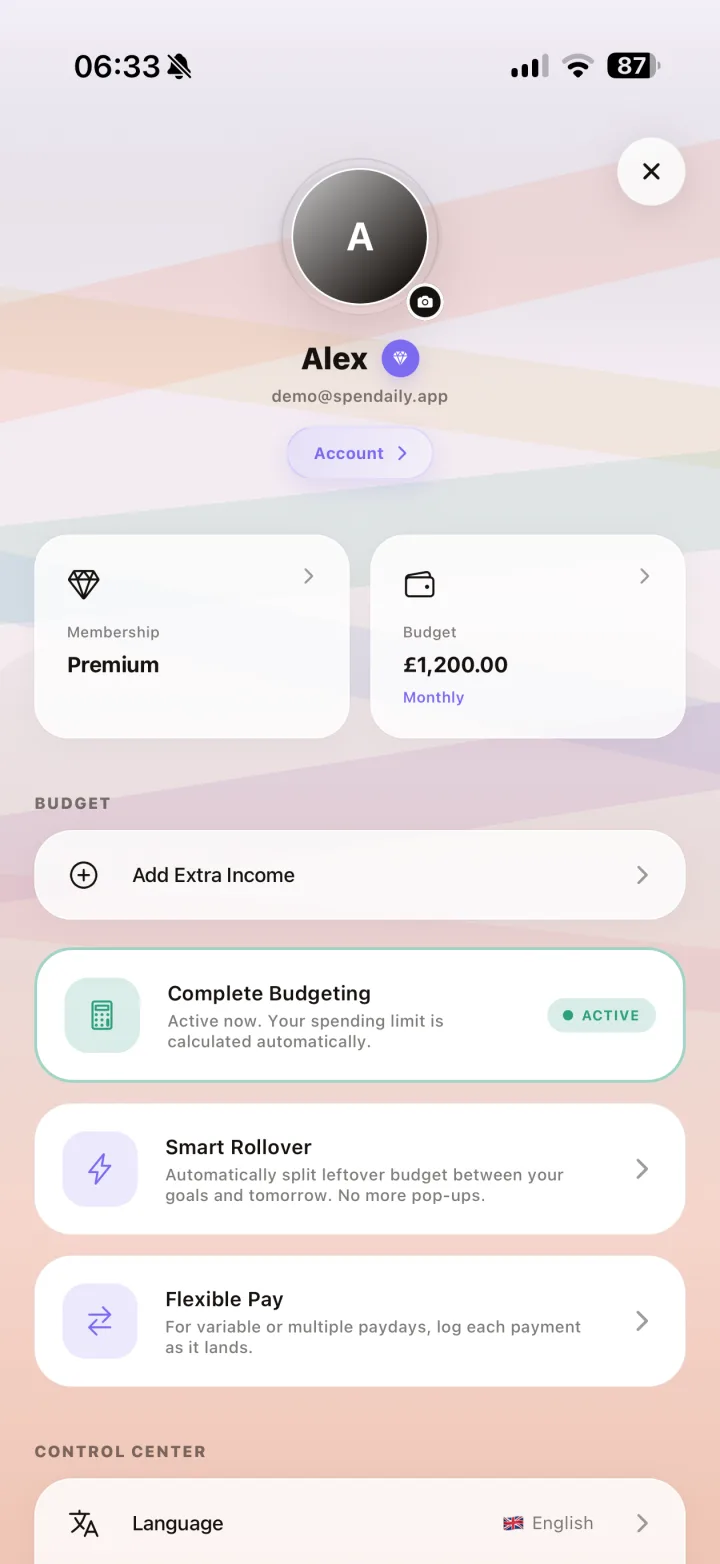
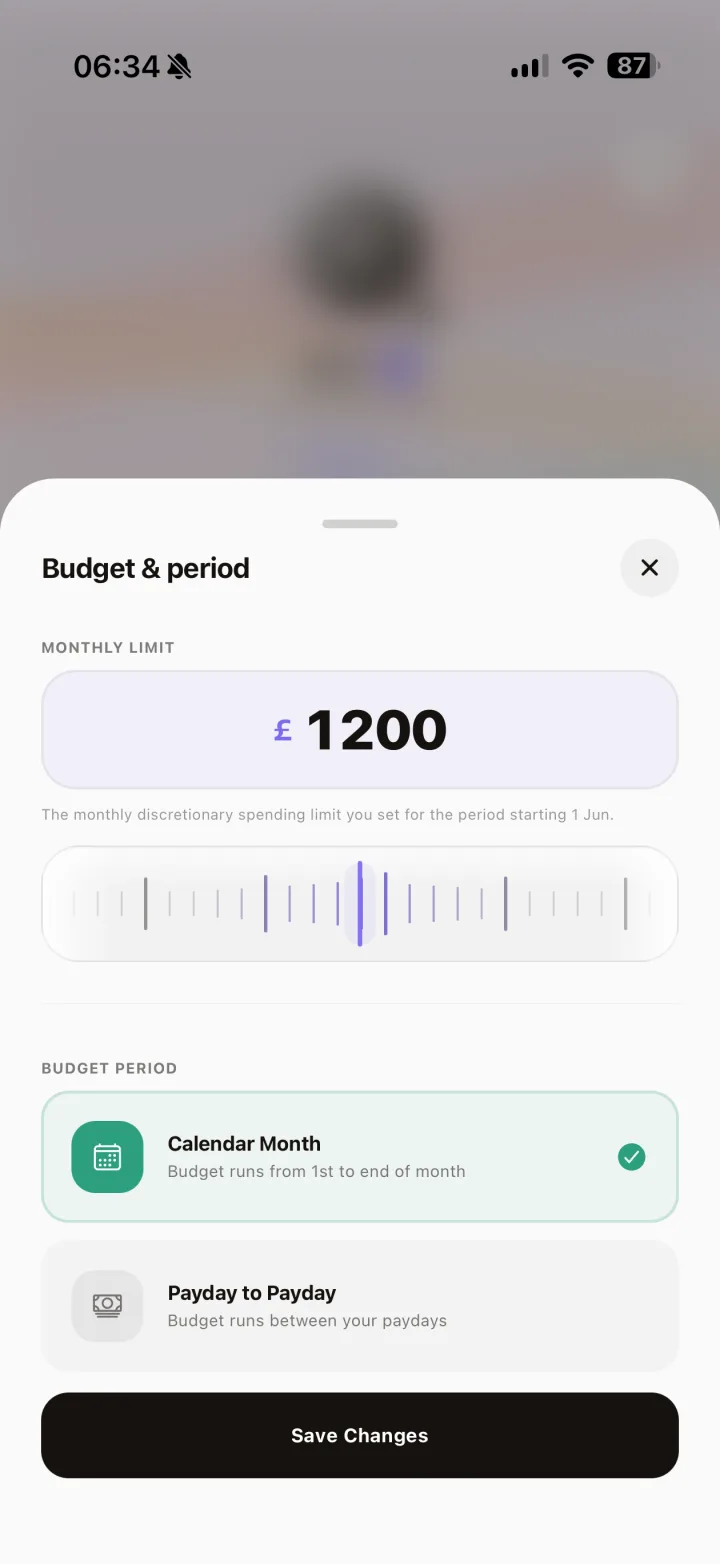
Account and Budget Control Center
Membership status, budget tools, and control center actions are centralized in one reliable settings hub, including period-type controls.
Manage your account, budget, and premium access from one control hub.
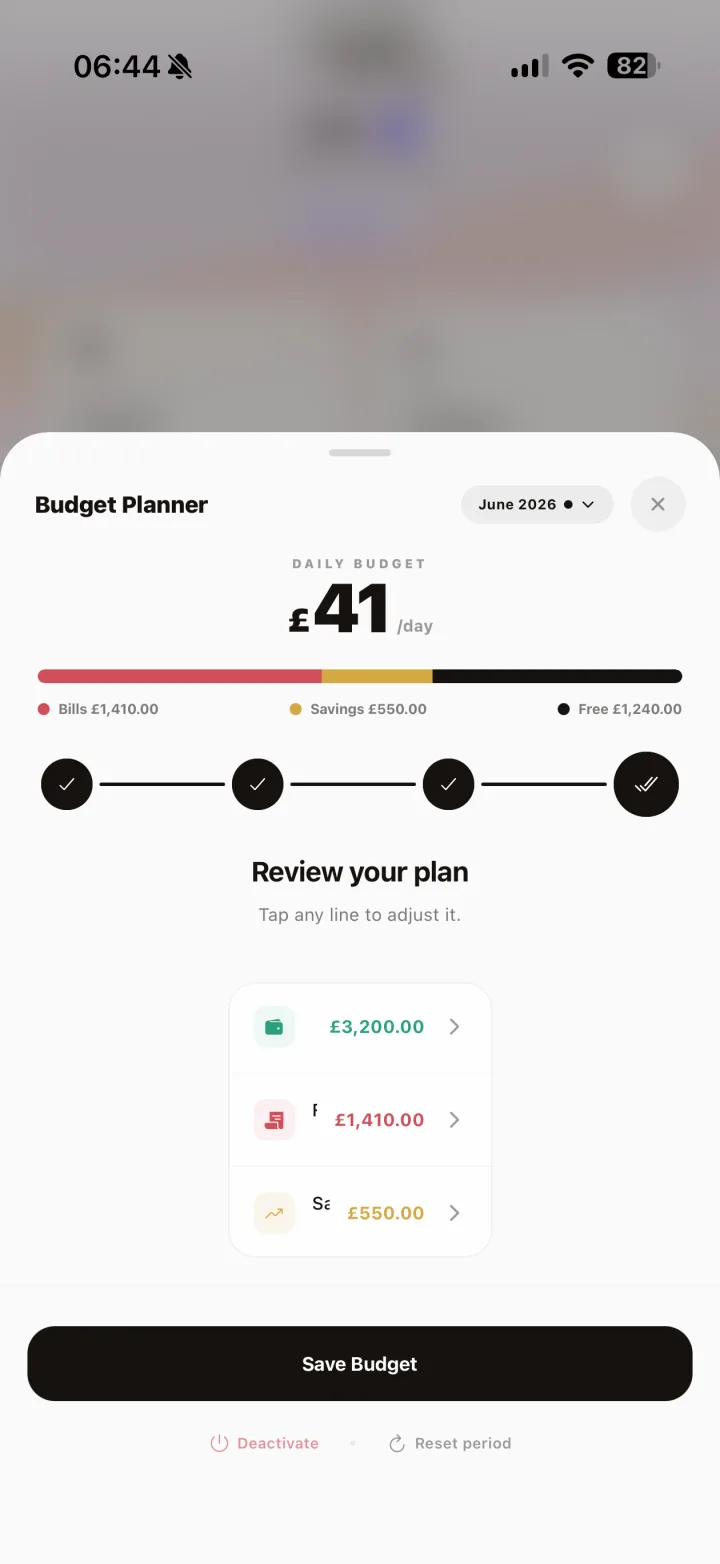
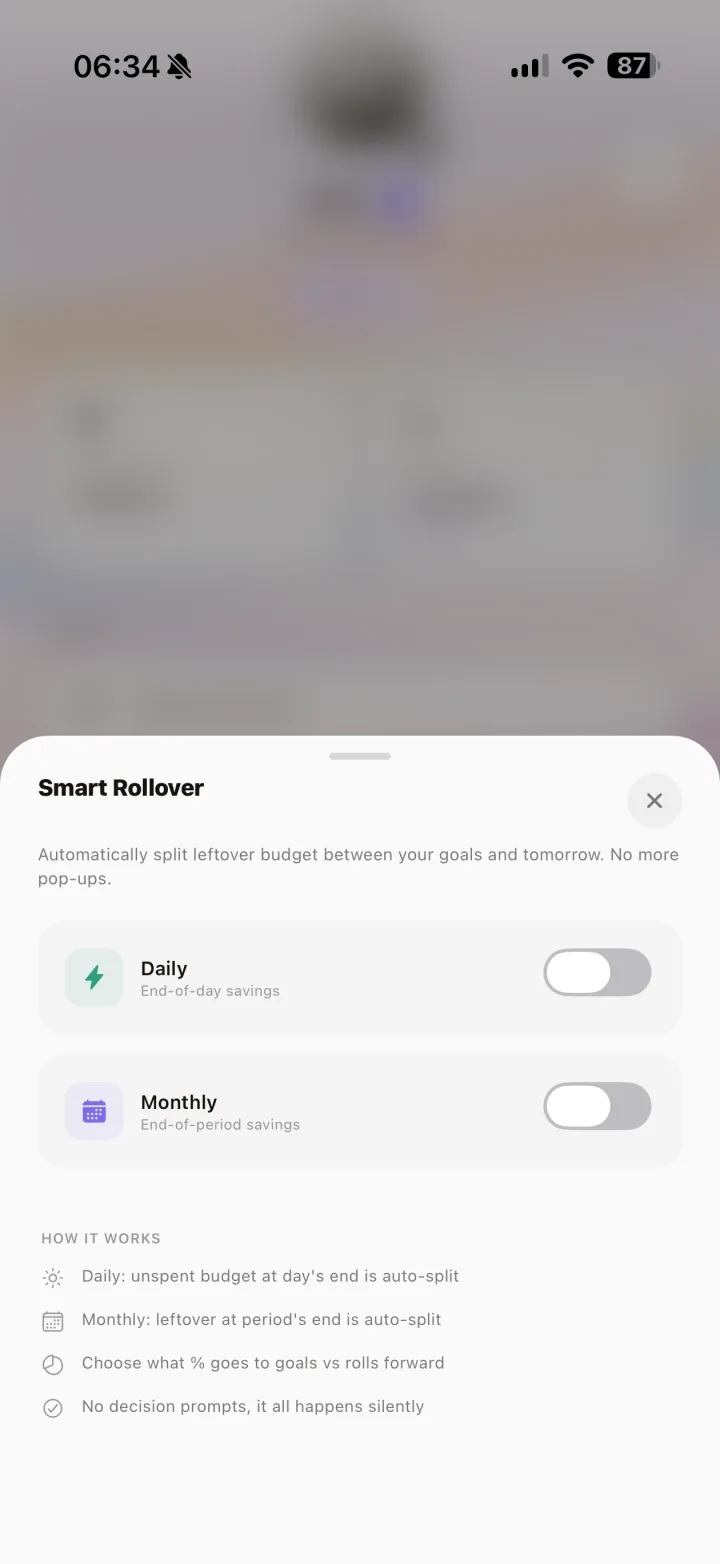
Guided Budget Planner and Rollover Setup
Use the guided Income -> Bills -> Save -> Daily planner flow, then configure Smart Rollover behavior from settings.
Set up planning and rollover controls once, then budget with less daily friction.
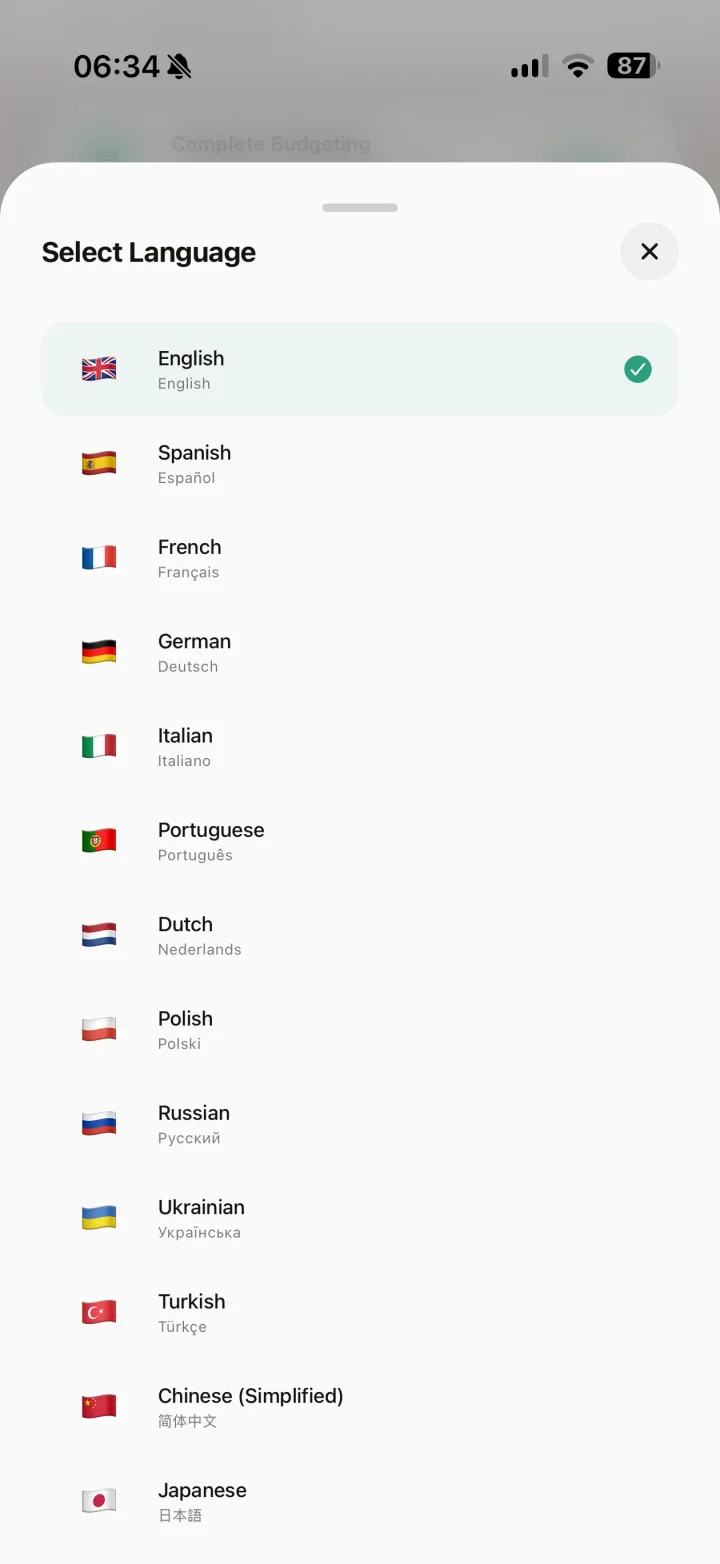
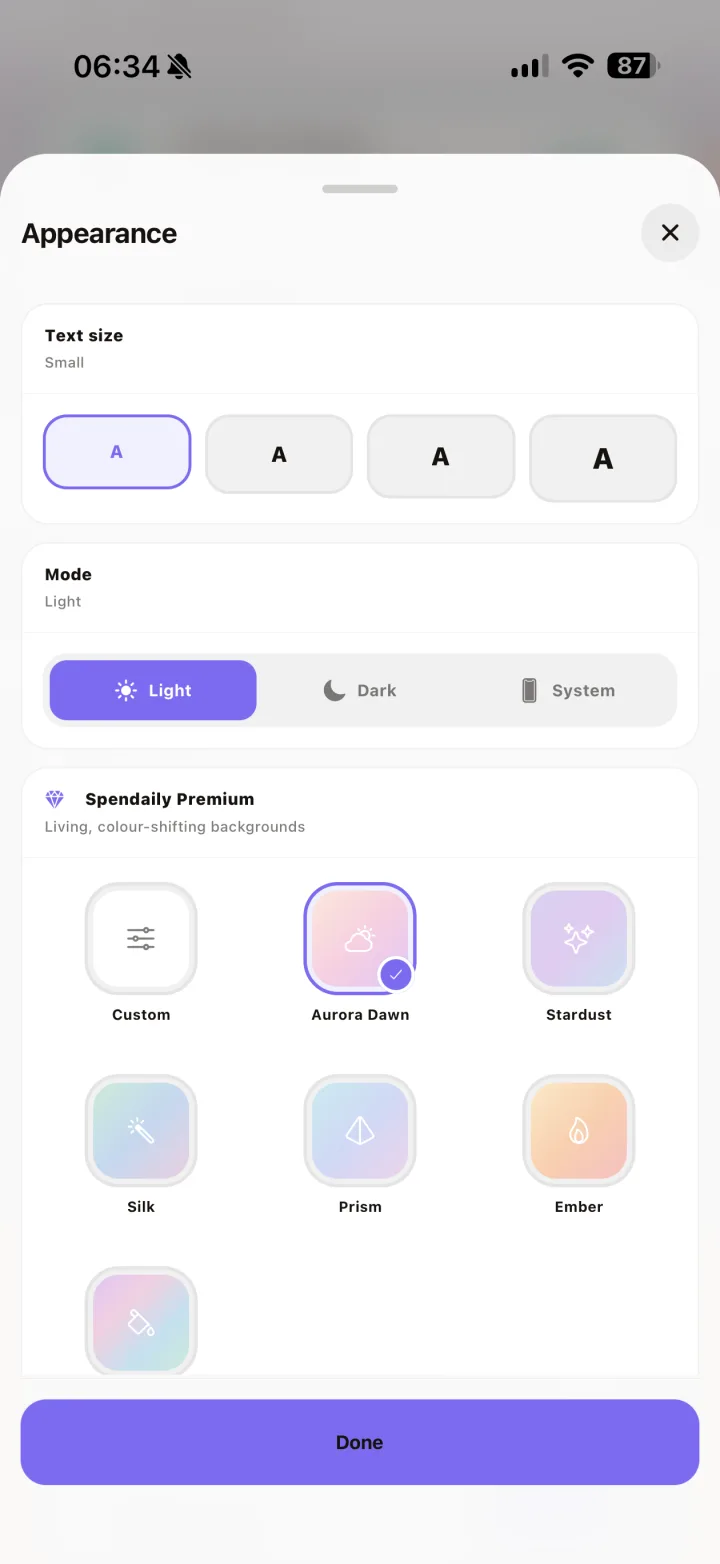
Multi-Language and Appearance Controls
Users can budget in 14 languages and tune mode, palette, background style, and shape colors for a truly personal interface.
Budget in your language, then personalize every visual layer of the app.
Advanced insights that compound progress
Premium gives you stronger guidance, smarter automation, and clearer month-end outcomes.
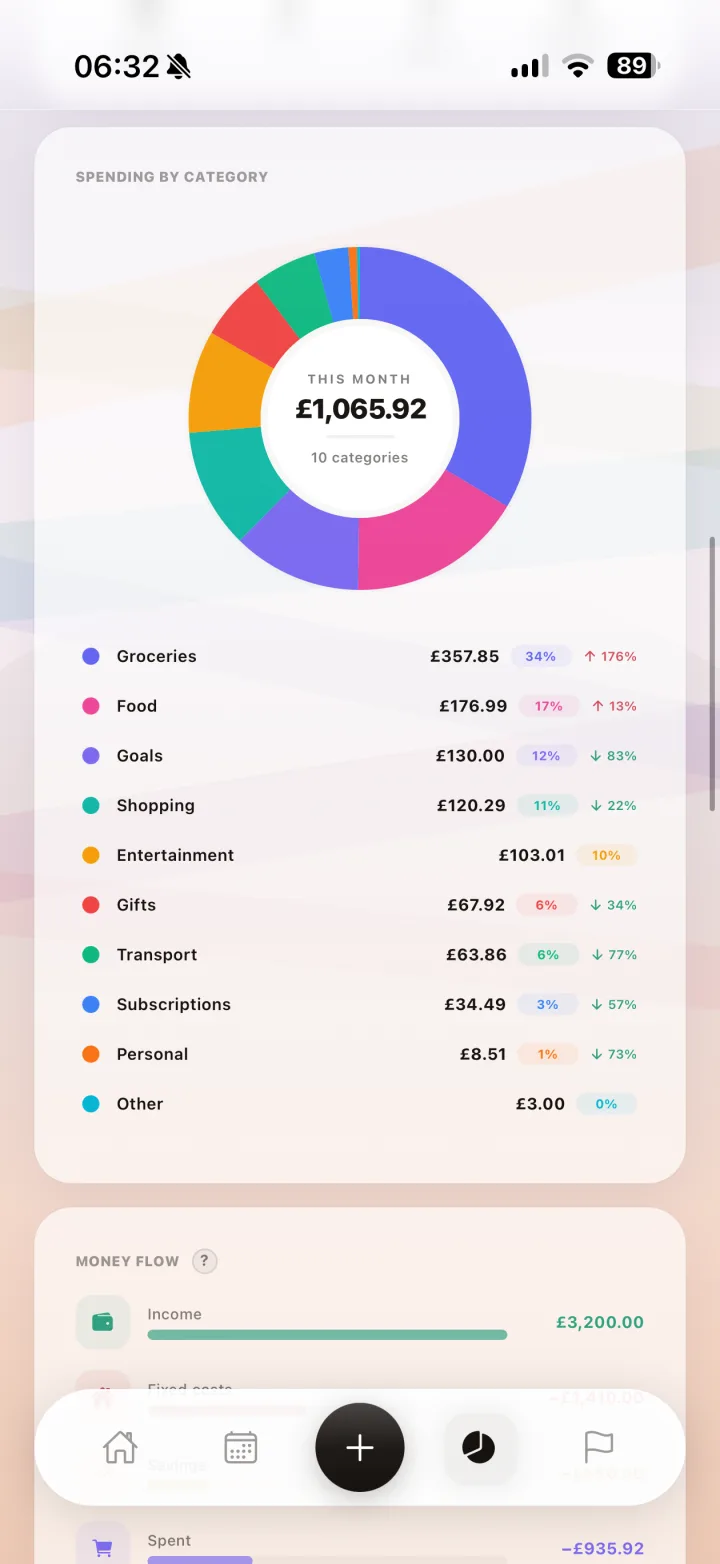
Monthly Rollover Timeline + Category Breakdown
Summary views combine rollover timeline context with category-level visibility for stronger month-end clarity.
Watch every under-budget day stack into measurable rollover progress.
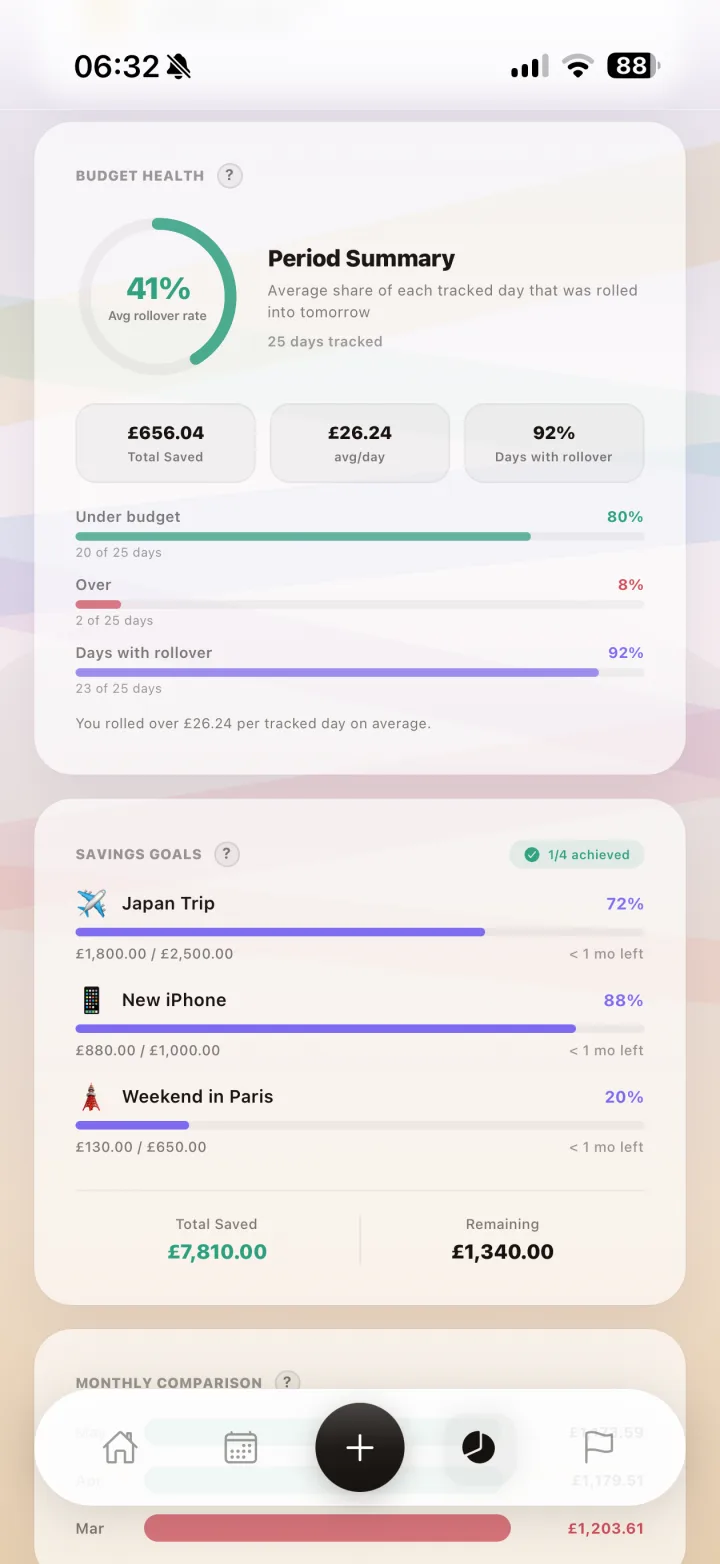
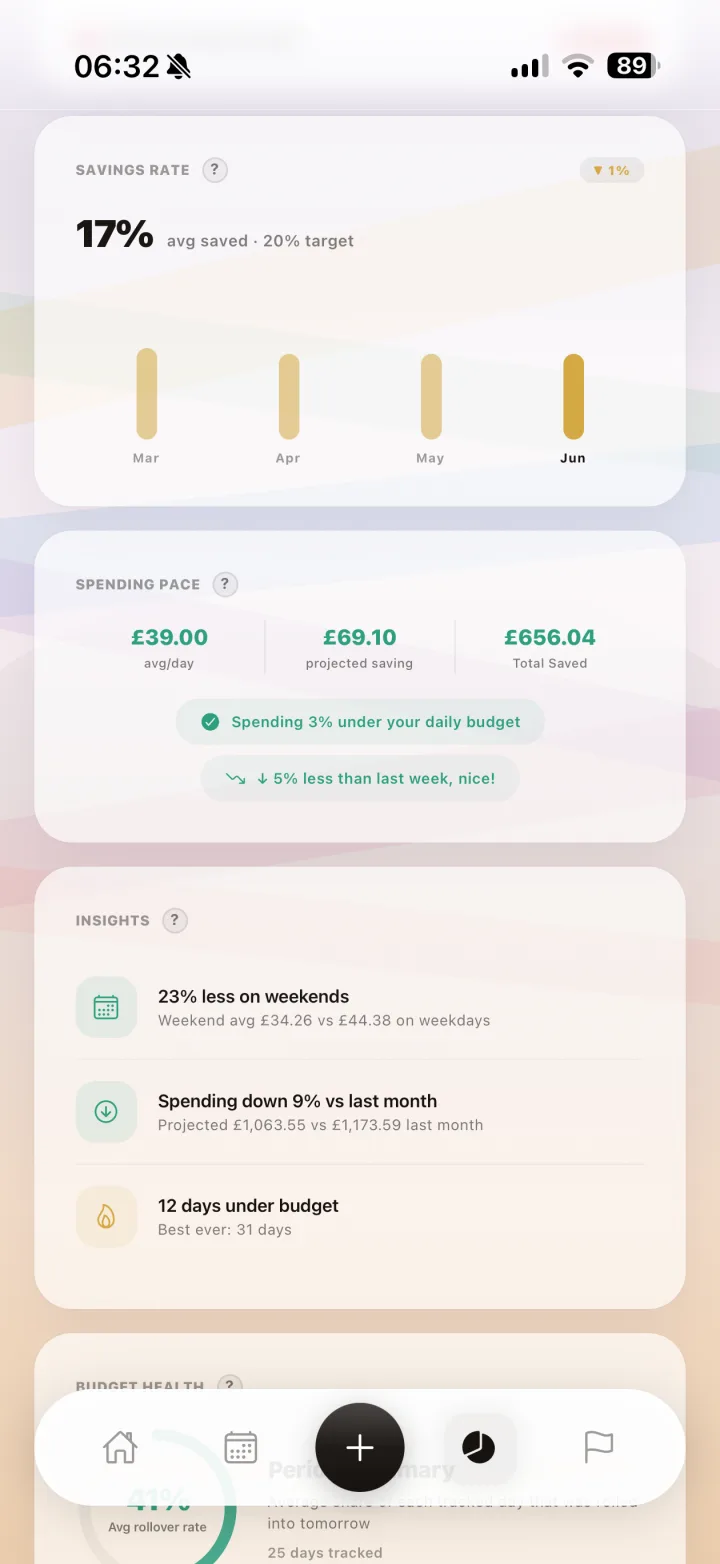
Budget Health, Pace, and Rollover Review
Health and pace cards translate raw spending into guidance, while rollover review modals make leftover routing deliberate and clear.
Know your current financial health and route surpluses with confidence.
Guided Rollover Decisions
Premium rollover screens help users route leftovers to tomorrow or goals with clear side-by-side outcomes.
Turn every surplus into an intentional decision instead of a forgotten leftover.
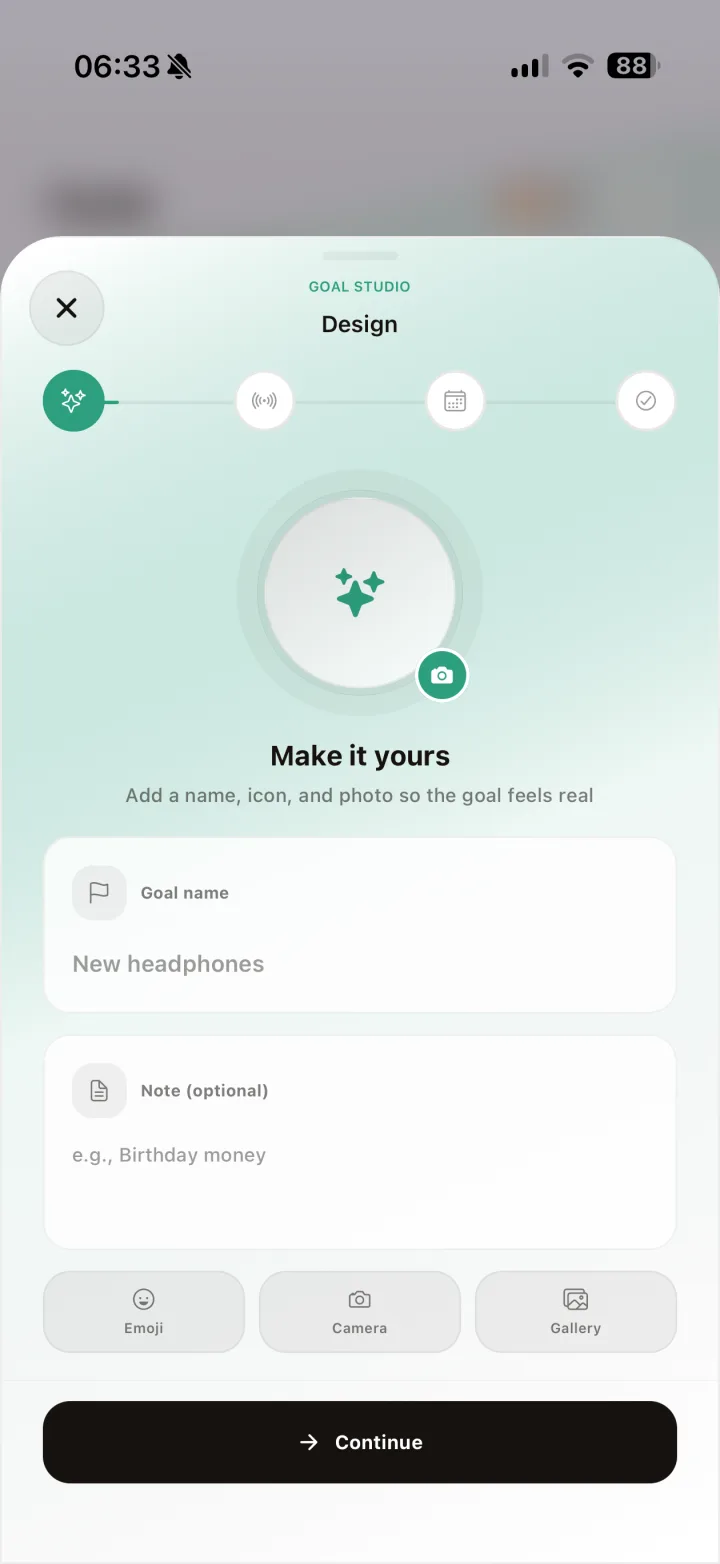
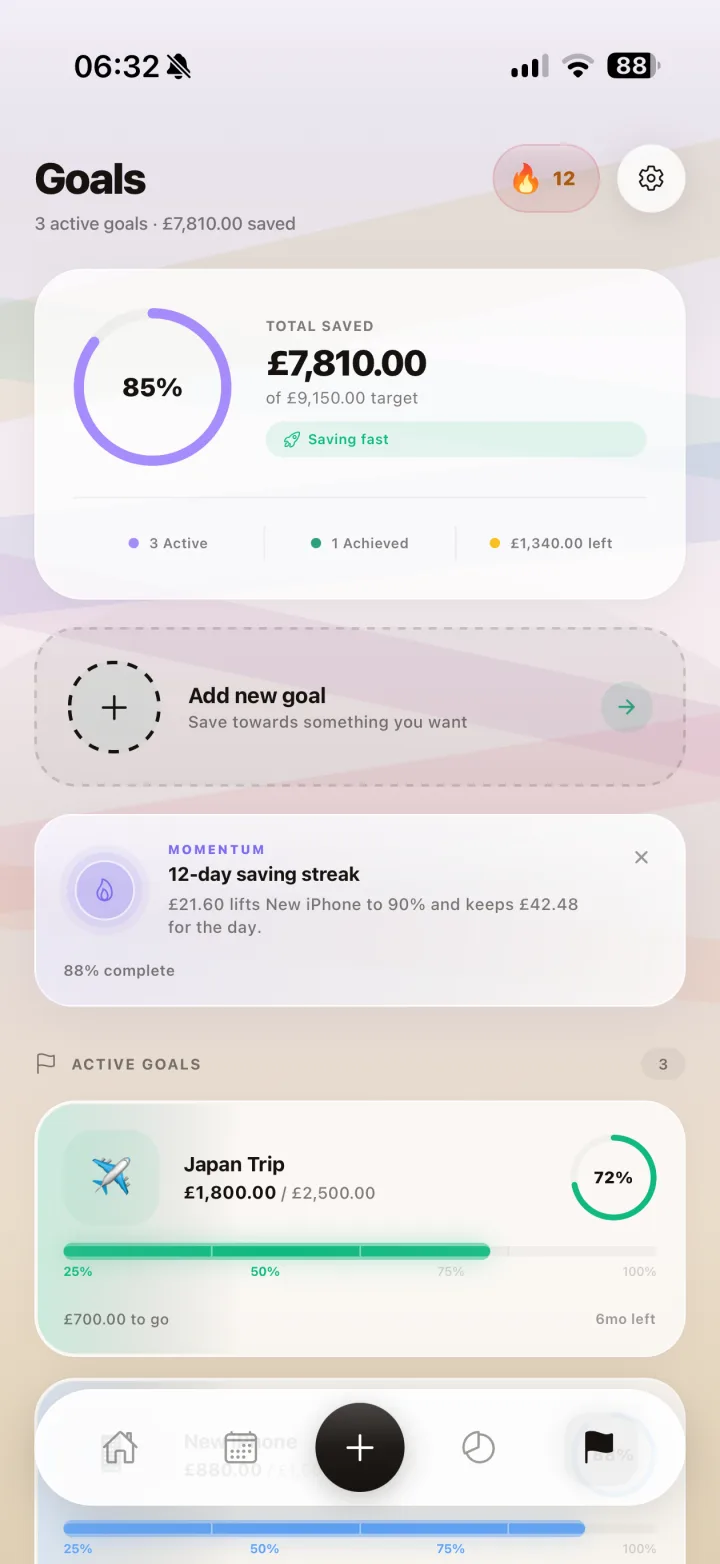
Personalized Goal Builder + Goals Command Center
Create meaningful goals with custom icon identity, then monitor active and achieved progress in one dedicated command center.
Every under-budget day moves you closer to the things you are actually saving for.
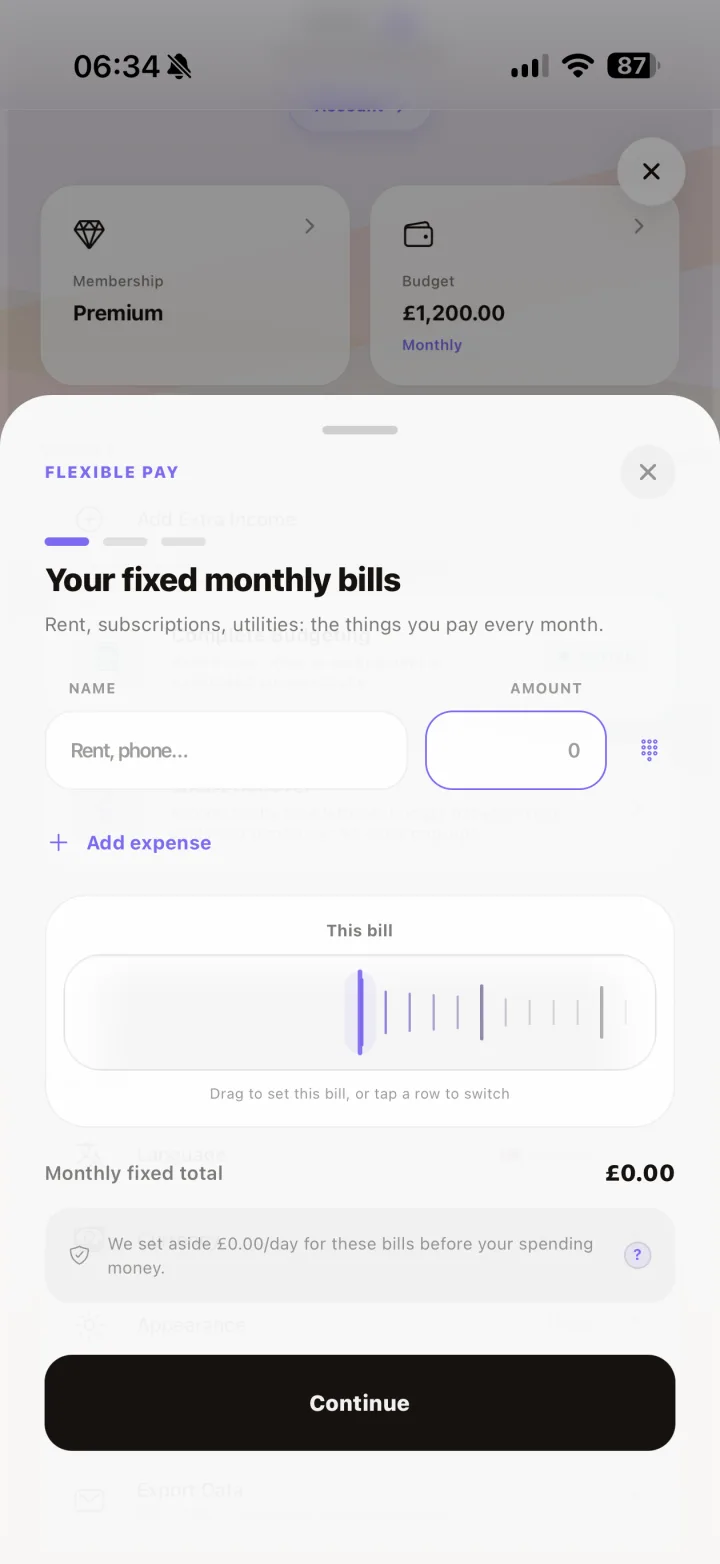
Flexible Pay for Variable Income
Paid weekly, on commission, or on no fixed schedule? Log each payment and your daily allowance builds itself over a rolling 30-day window, with a slice set aside for your fixed bills.
Variable or multiple paydays? Your daily budget builds itself as money comes in.
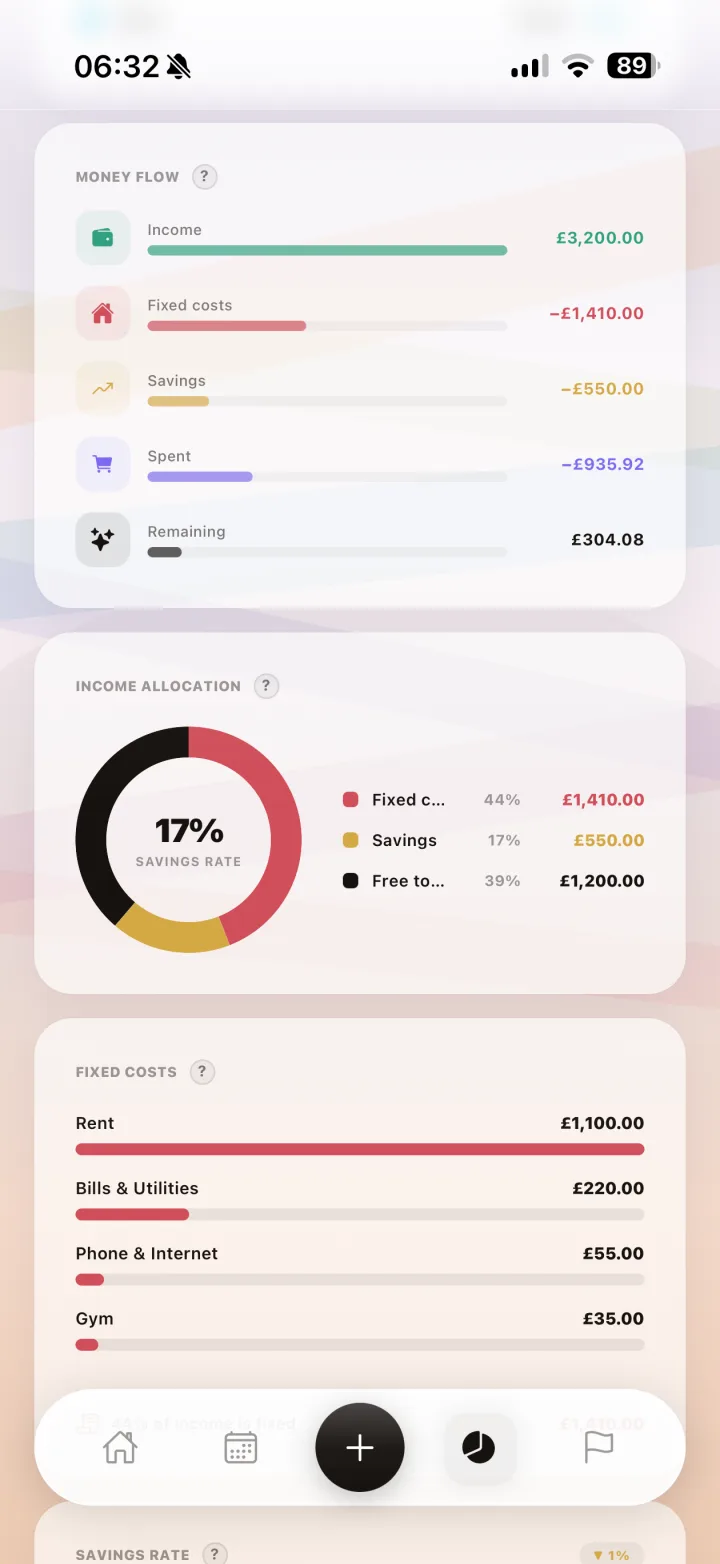
Complete Budgeting
Track your full financial picture: salary, rent, fixed bills, and investments. Spendaily turns all of it into your true daily discretionary number, so the amount you see is one you can trust.
Your whole financial picture, distilled into one honest daily number.
One Pot
One shared budget you both spend from and watch grow together.
Split
Separate budgets, with only your joint expenses shared.
Couple's Budgeting
Budget money together without the awkward maths. Pick One Pot for a single shared budget, or Split to keep separate budgets with shared expenses. Both partners need Premium, and Apple Family Sharing counts.
Money, managed together.
Theme options in context
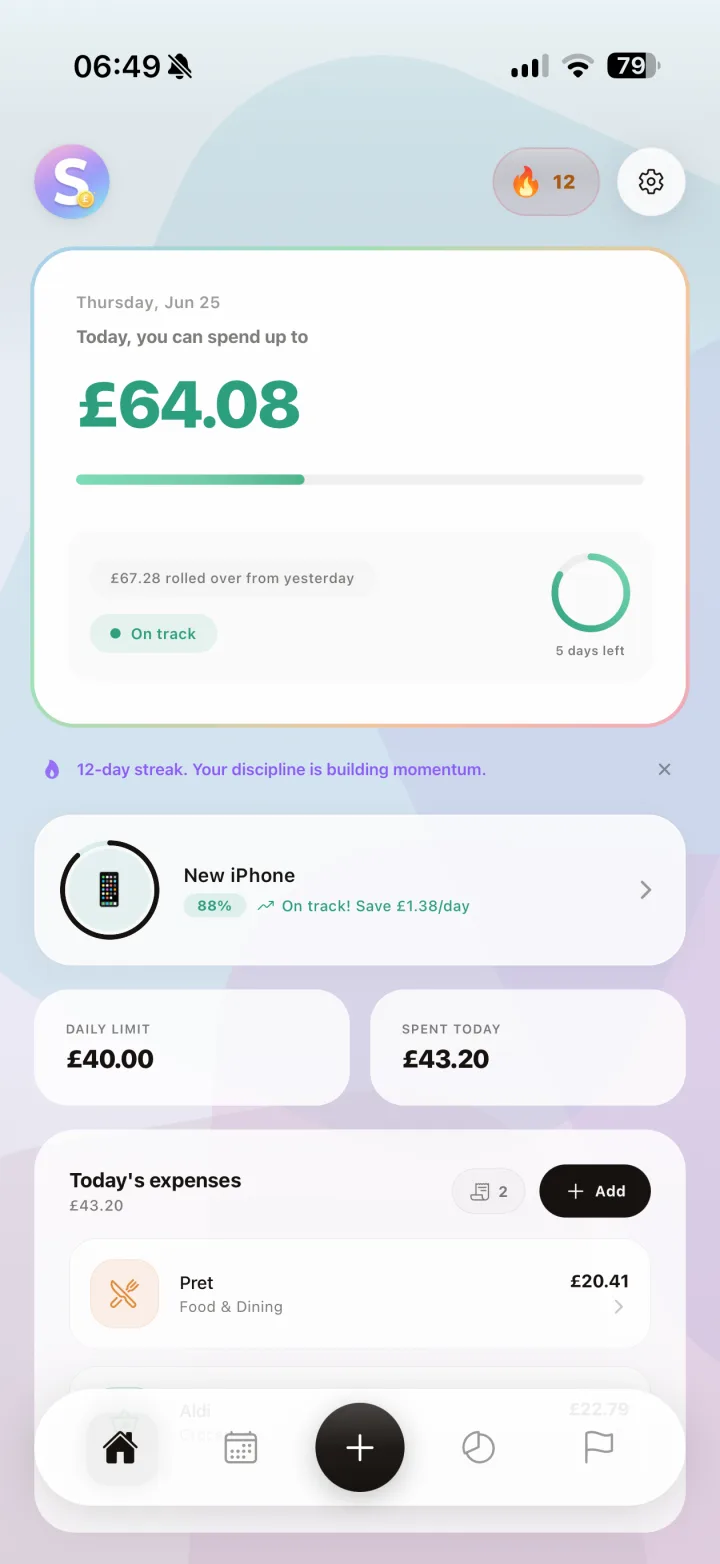
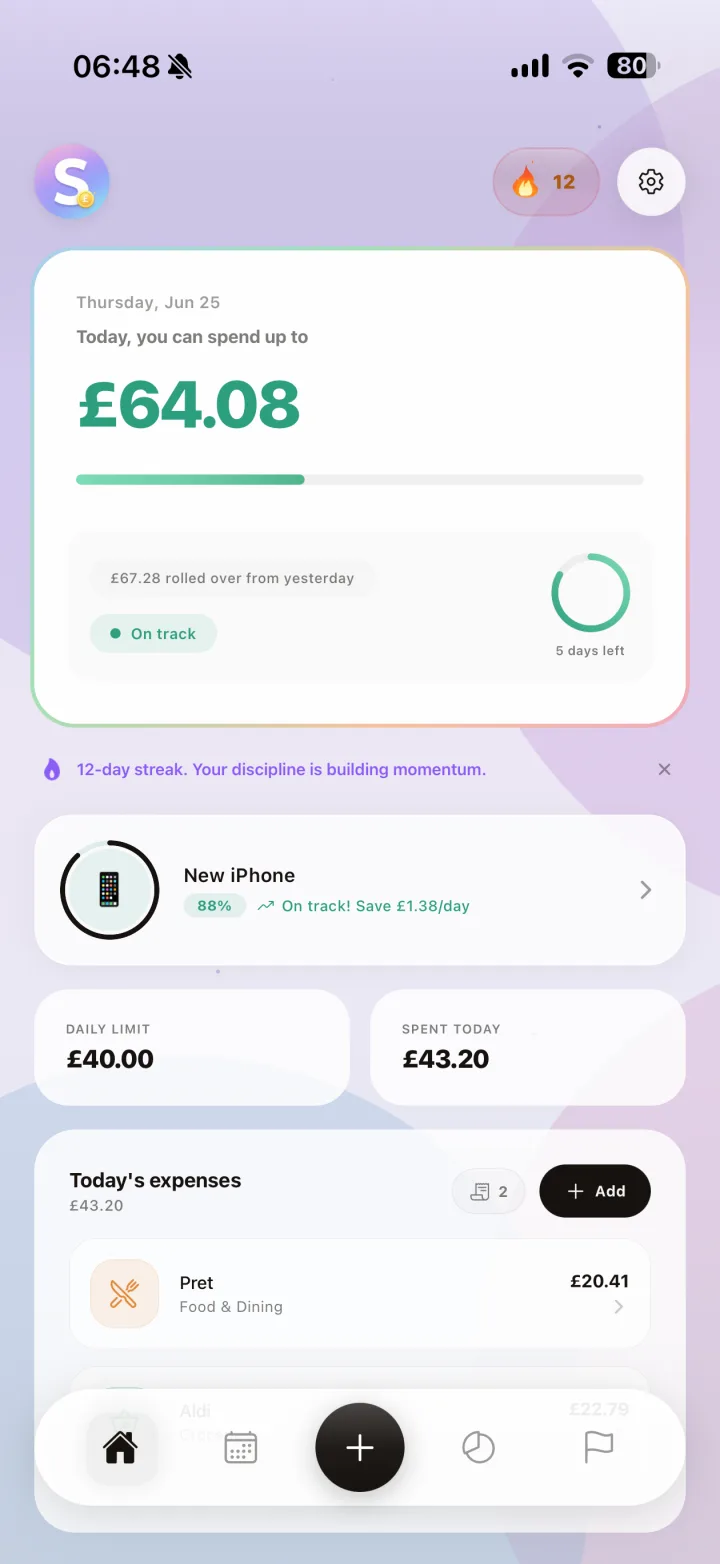
The same daily dashboard across Spendaily's premium palettes, with the default theme shown for direct comparison.
Your Budgeting Dashboard, In Your Preferred Style
The same powerful daily budget view across every theme. Same data, same clarity, different mood.
Standard
Sunset
Ocean
Midnight
Sunset
Ocean
Midnight
Where users configure these themes
Mode, palette, background, and shape colors are all configurable in one place.
Updated gallery
A cross-section of the latest onboarding, budgeting, automation, and goals screens. Swipe through.
Onboarding
Dashboard
Fast Add
Month Calendar
Categories
Budget Health
Smart Rollover
Goal Builder
Goals Center
No-Spend Day
Languages
Theme Studio
Ready to start with confidence?
Download Spendaily on iOS or Android and take control of your daily budget.
Available on iOS and Android.